DriveDroid: Boot desde tu Android
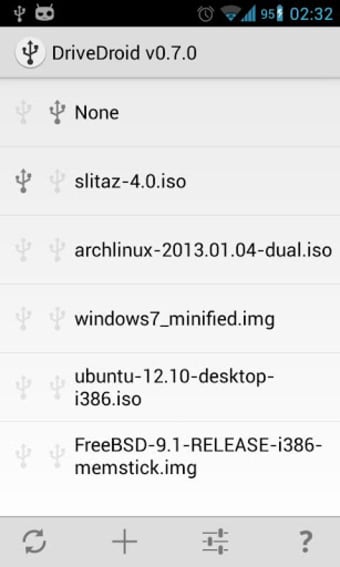
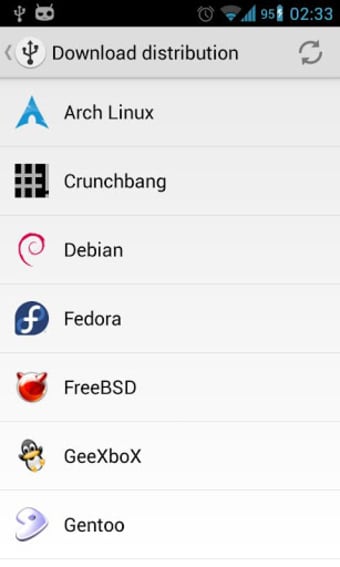
DriveDroid es una aplicación de productividad para Android que permite a los usuarios arrancar sus PC desde archivos ISO/IMG almacenados en su dispositivo móvil. Ideal para probar distribuciones de Linux o tener un sistema de rescate a mano, DriveDroid elimina la necesidad de grabar CDs o usar pendrives USB. La aplicación incluye un menú de descarga que facilita el acceso a imágenes USB de varios sistemas operativos populares como Mint, Ubuntu, Fedora, OpenSUSE y Arch Linux, con aproximadamente 35 opciones disponibles.
Alternativa más recomendada
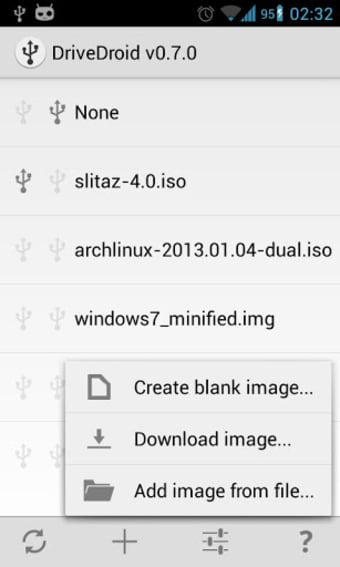
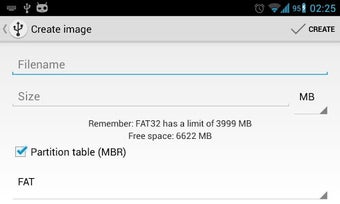
Además, DriveDroid permite crear imágenes USB en blanco, lo que facilita el almacenamiento de archivos desde el PC o la escritura de imágenes en la unidad. Es importante tener en cuenta que la aplicación requiere acceso root y que la compatibilidad de las funciones del kernel puede variar según el dispositivo. También existe una versión de pago que elimina anuncios y ofrece opciones adicionales como el redimensionamiento de imágenes y la posibilidad de agregar repositorios de descarga personalizados.

DriveDroid also includes a convenient download menu where you can download USB-images of a number of operating systems from your phone.
You can also create USB-images which allows you to have a blank USB-drive where you can store files in. Another possibility is to use tools on your PC to make a bootable USB-drive out of the blank image that DriveDroid created.
How do you make this work?* Connect your phone to your PC using an USB cable* Download an image file (.iso or .img) or create one* Select the image file in DriveDroid to let your phone 'host' the file over USB* (Re)start your PC and make sure the correct boot priority is set in the bios* The image should now be booted on your PC
Recommendations:To quickly try DriveDroid download SliTaz from the download menu. It is an operating system of only 35MB, so it should be easily downloaded.You can also create a 100MB FAT image through the 'Create blank image...'-menu. It should show up as a normal empty USB-drive on your PC.
Requirements:* Root* USB cable (from phone to PC)* USB Mass Storage (UMS) should be enabled on your ROM (being able to mount SD card)Some devices have trouble with UMS. Please enable UMS though DriveDroids preferences. If that does not work, send me a support email, also through the preferences.
Notes:* Some .iso files do not support being booted over USB, but most popular Linux distibutions are. All images that are downloadable through DriveDroid are supported.* Do NOT use DriveDroid while your SD card is mounted (being used on your PC). This can cause loss of data.* The following devices are known to not have USB Mass Storage at the moment: Asus Transformer Prime TF201* Some phones (like Google Nexus and Galaxy Note 2) cannot boot out-of-the-box with UMS. To circumvent this enable and disable UMS from DriveDroids preferences and reboot the phone afterwards.













![Icono de programa: [root] Mobile ODIN Pro](https://images.sftcdn.net/images/t_app-icon-s/p/209381e2-9b23-11e6-ae31-00163ec9f5fa/1484395696/root-mobile-odin-pro-icon.png)